
Main panel failure in flight

Ron_Wullaert

I love flying!
Joined
Jan 5, 2015
Messages
12
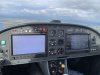
On the last couple of flights, we experienced a failure of the main panel in mid-flight. Before the start and during the first part of the flight, everything is working as it's supposed to. Then in a flash, the main screen lights up with a white background (see the attached picture).
To resolve the issue, I restarted the panel by holding F1 to shut down the panel and then restart it. In most of the occasions, this procedure allows a normal restart of the panel. On one occasion, a restart resulted in an immediate white screen again.

I've exported the log-files for reference. Should I attach them to this post?

Ron
 

Attachments

  • IMG_1082(1).JPG
    IMG_1082(1).JPG
    3.2 MB · Views: 375

RVDan

I love flying!
Joined
Aug 8, 2012
Messages
294
Location
Frederick, MD
I would suggest you contact Dynon support by email or phone. They are great, and this kind of failure usually gets their attention. You can email them and attach the file.
 

Ron_Wullaert

I love flying!
Joined
Jan 5, 2015
Messages
12
I would suggest you contact Dynon support by email or phone. They are great, and this kind of failure usually gets their attention. You can email them and attach the file.
Thanks for the suggestion. I sent them an email already
 

DBRV10

Active Member
Joined
Jun 15, 2008
Messages
926
Location
Brisbane, Qld. Australia
Make sure there are no SAN DISK compact USB keys installed either directly or in the harness on that screen. They are known to cause problems. So don't use them at all.
 

Ron_Wullaert

I love flying!
Joined
Jan 5, 2015
Messages
12
Make sure there are no SAN DISK compact USB keys installed either directly or in the harness on that screen. They are known to cause problems. So don't use them at all.
I use a USB drive to store flight plans on but its not a SanDisk brand.
 

Dynon

Dynon Staff
Staff member
Joined
Jan 14, 2013
Messages
14,233
Location
Woodinville, WA
And also, know that you should be able to restart a display by pressing buttons 1/2/5 at the same time.
 

tbfisher

New Member
Joined
Oct 18, 2020
Messages
14
Had this problem on my main panel. Unplugging and plugging the two USB sticks fixed the problem. Whew.....<VBG>
THANKS to everyone who helped...
 

RandomSquawk

Member
Joined
Jul 17, 2020
Messages
39
Make sure there are no SAN DISK compact USB keys installed either directly or in the harness on that screen. They are known to cause problems. So don't use them at all.
Where can I find more info about this? I've not experienced this, myself.
 

Rhino

Well-Known Member
Joined
Jul 20, 2009
Messages
1,777
Where can I find more info about this? I've not experienced this, myself.
That comment is five years old. Some of their earlier flash drives did have issues, but they seem to be working just fine for a few years now.
 

wilkersk

I love flying!
Joined
May 26, 2013
Messages
63
Just for point of reference (in case someone stumbles across this thread wondering what USB thumb drive to buy), I've been using the SanDisk 32GB Cruzer Fit for my SV-700 Classics. They've always worked great. The new HDX-800s I recently upgraded to were shipped with the newer Sandisk 32GB USB 3.1 Ultra Fit.
 
Top