What is the solution? My display gives a big blank area where a sectional and TAC chart meet. My home field just happens to be in that area! I do not see any options for turning off the TAC chart display. WOndering how to get rid of this annoyance!


You are using an out of date browser. It may not display this or other websites correctly.
You should upgrade or use an alternative browser.
You should upgrade or use an alternative browser.
Airmate map issue
- Thread starter Avee8or
- Start date

Thanks. Didn't work. Still awaiting response from Airmate and Dynon. New database coming shortly; will see if that fixes it. Will try a friend's Seattle Avionics database to see if that narrows the problem to airmate.Sounds like an issue with Airmate. I doubt it would help, but you might try resetting your map settings.
OgieOglethorpe
Member
- Joined
- Nov 11, 2021
- Messages
- 75
I had some issues with Airmate previously. They had been very responsive. The last 2 times I needed help I didnt hear anything. Disappointing.Dynon did respond and got word from airmate. Aware of problem, thought it had been fixed. Problem persists with latest database download. I never heard from Airmate, and happy with Dynon support.
Well, the latest airmate DB update still has the problem. Pity I just renewed or I would switch to Seattle. Going back to see if Airmate is any more responsive than before. (Low expectations!)Dynon did respond and got word from airmate. Aware of problem, thought it had been fixed. Problem persists with latest database download. I never heard from Airmate, and happy with Dynon support.
OgieOglethorpe
Member
- Joined
- Nov 11, 2021
- Messages
- 75
I also had a problem with last download. Contacted dynon and they said it was an airmate issue. Had a funky taxiway intersection leaving the ramp and the Geo referenced plate wasnt showing me where I was. I obviously was still on the taxiway but the plate had me quite a bit off of it.
Sent the pic to airmate and got a response that they would inform the proper people. Dynon had said airmate had been very busy. Might be a case of you get what you pay for. My sub ends in the fall, will see how it goes until then.
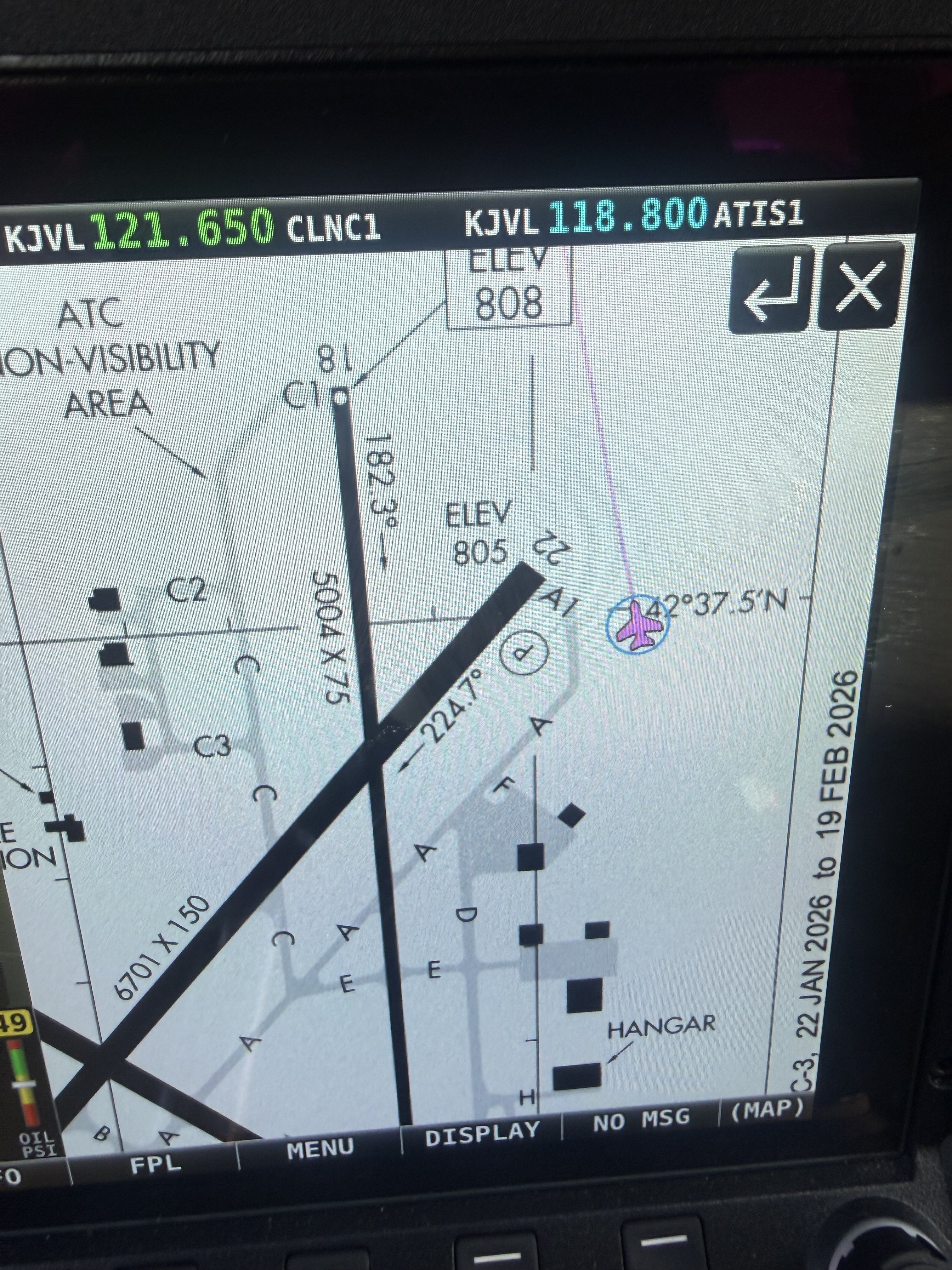
Sent the pic to airmate and got a response that they would inform the proper people. Dynon had said airmate had been very busy. Might be a case of you get what you pay for. My sub ends in the fall, will see how it goes until then.
