D1000 x2 Lost Syncronization

AlanR

Member
Joined
Jan 25, 2007
Messages
193
Location
UK
Hi all,
Hope you can help/advise please.
Bristell NG5 with Rotax engine. UK built from from kit in 2016 by me. All. electrics done by me. Twin D1000's not updated for a couple of years so don't at this time without checking present firmware number.
The system been stable with no known faults for some years now. Both screens and all systems worked normally until today.
I had not flown for a couple of weeks prior to today and no work had been carried out on the aircraft in the meantime.

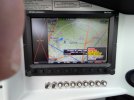
Today on initial boot up as normal of both D1000's ( separate switches but always booted up together) the P1 screen came up perfectly ok and looking fine with no errors or omissions and everything working but P2 screen has large cross in EMS and message box shows the following list of errors as photos below:
EMS Fail
ADAHRS Fail
Flarm offline
Software mismatch
AP Panel offline
Pitch servo offline
Roll servo offline
Xponder fail
See attached photos of both P1 screen and P2 screen taken at the same time.
The question is why?
I then discovered that if I boot up the P2 screen up first before booting up the P1 screen I have no error messages at all. Incidently regardless of the error messages everything works just fine.
So I did a half hour local flight, all systems including A/P all worked normally. I landed and shut down and rebooted again...Same thing!. P2 lists all the errors as before.
So somehow my D1000's have lost pairing synchronization. The software is not mismatched, they both have the same firmware number albeit from a couple of years ago.
Do you suggest I just do a 'Setup-System setup'- DSAB config' and see what happens or is something else more sinister going on do you think?
The only checking I have done so far is to see that the Ethernet cable between the two screens is fully secure.
All thoughts on what is going on fully appreciated.
Alan
 

Attachments

  • 003.jpg
    003.jpg
    5.6 MB · Views: 16
  • 005.jpg
    005.jpg
    2.8 MB · Views: 15

F18Sailor

New Member
Joined
Mar 20, 2025
Messages
16
I would do a force network load on P2...that may re-load all the modules. Hopefully you have the same software version you've been flying on. I'm not so sure the latest releases for the classic displays are bug-free.
 

AlanR

Member
Joined
Jan 25, 2007
Messages
193
Location
UK
OK....thanks.
'Force Network load on P2' to re-load the modules you suggest. That I think assumes I still have the software on a stick somewhere. I will have to search for it.
The P2 screen was nominated on initial aircraft build as the 'Prime' screen. All firmware updates have been done over the years through the P2 screen.
However what I don't understand is that if I boot up the P2 screen first, before the P1 screen I have no errors showing.
But regardless of the error messages shown on the P2 screen everything on the aircraft works perfectly anyway. The error messages are just words it seems and don't mean anything is at fault because everything including the A/P and it's servo's still work fine.
As shown I have no error messages on P1 screen and all is good on that screen.
Seems strange to me that they have just somehow lost factual screen syncronisation...
Hmmm....I will do a search and seem if I can still find the stick I used when I did the last update.

Thanks,
Alan
 

AlanR

Member
Joined
Jan 25, 2007
Messages
193
Location
UK
I have now found the stick I used for the last update that was done on the above D1000 screens . Version-16.7.0.11423.
Installed by me on 20th March 2024.
I also have another stick with my original Rotax engine EMS settings on. So do I reload that as well?

Is just doing a re-load going to solve the syncronization issue I wonder? The above version is currently in both screens and has worked perfectly for the last 2years. Nothing has been changed.
I can't help but think something is not quite right somewhere...
 

F18Sailor

New Member
Joined
Mar 20, 2025
Messages
16
Your settings should stay put when re-loading software. This definitely seems like an internal memory fault with one of the displays. Dynon support are who you need to talk to. I would also check if any network modules are flagging issues.
 

AlanR

Member
Joined
Jan 25, 2007
Messages
193
Location
UK
Yes that is what my concern is. That the P2 display somehow appears to have lost memory.
I have now sent an email to Dynon support so I will see what they suggest.

Thanks for the suggestions. All good stuff.

Alan
 

AlanR

Member
Joined
Jan 25, 2007
Messages
193
Location
UK
An Update....
Not had any reply yet from my email to Dynon Support I today decided to investigate further myself...

After removing glareshield and checking all connections, EMS, Ethernet and all the Dsub connectors. I did a Force Network Load on P2 as suggested earlier.
This completely cleared the errors and faults previously on the P2 screen!...However all the previous the errors and faullts now appeared in the P1 screen!...see photo's.
After a coffee and a bit of a think I concluded that this maybe could be a good thing inasmuch as it ruled out the fault being anything to do with the actual P2 display itself, which was a big relief and seemed to indicate that the problem was not the actual P2 display itself at all but must be a Network/Software issue.

I then checked the Configuration in both P1 and P2 screens (Previously neither screen showed any errors before doing initial P2 Force Network Load ) The P1 Config screen now was full of errors and said software updates needed on some items! .....see 2nd Photo.

So I then decided to start completely from scratch with the whole system, and do a completely new full Configuration and then afterwards do yet another Force Network Load from the P2 screen.

..........and Hey presto...Now showing all good!! See photo3....Now very happy!

So I can only conclude from all this that somehow my two screens had created a Config mismatch between themselves which does however seem very strange when absolutely nothing had been done by me, (I am sole owner/pilot) to the system before finding the fault on start up a few days before!

I can only now hope that this is the end of this issue?...It all does seem rather odd though but all I can wait and see what happens when I actually fly the aircraft in the coming days..

I just hope this is the end of the problem..

Thanks for the input....Appreciated!

Alan
 

Attachments

  • 003.jpg
    003.jpg
    4.2 MB · Views: 14
  • 004.jpg
    004.jpg
    4.9 MB · Views: 13
  • 005.jpg
    005.jpg
    4 MB · Views: 15

jakej

Well-Known Member
Joined
Oct 10, 2007
Messages
2,268
Location
Adelaide, Australia
Hi all, “Today on initial boot up as normal of both D1000's ( separate switches but always booted up together)
Hi Alan,
I’m thinking that maybe a cause of your issues is related to the bold text above.
Dynon designed their system to allow the screens to be ON during engine start - no need to have a separate power switch - I’ve never used a switch for the screens & never had any issues as you described - & never heard, including via forum posts, of your experience.
Why not just leave the power switches on & let the system determine which one is the ‘master’ screen?
HTH, Jake
 

AlanR

Member
Joined
Jan 25, 2007
Messages
193
Location
UK
Hi Jake,
You may have a point there. Going forward it is definitely food for thought!
However I am sole owner and I built the aircraft ( kit in the UK)and did all electrical and avionics wiring myself 10/11years ago and have never had a problem like this before in all those years flying doing engine start and then Skyview power up after engine start.
I agree what happened does seem a bit strange and I currently now can't replicate the fault! I guess I will see what happens in the coming flights.
At the moment I am just hoping that it doesn't reoccur!

Thanks for your input.

Alan
 
Top