
You are using an out of date browser. It may not display this or other websites correctly.
You should upgrade or use an alternative browser.
You should upgrade or use an alternative browser.
DATABASE NO LONGER CURRENT... When it is!
- Thread starter Karl Gosling
- Start date

Stevec
Active Member
- Joined
- Jun 24, 2020
- Messages
- 170
If you can live with it at least you will have an obstacle database. Ozrunways does not produce one, as far as I am aware at this stage, so your only option to get an up to date one is to get one from another source and AvPlan is one option but you will probably have to get a full subscription. I suspect at some stage someone has loaded it on your system to give you an obstacle database.
To find the files go to setup and load files and you can load an up to date file. Unfortunately I can’t recall if there is a delete option available there.
To find the files go to setup and load files and you can load an up to date file. Unfortunately I can’t recall if there is a delete option available there.

Rhino
Well-Known Member
- Joined
- Jul 20, 2009
- Messages
- 1,844
It can be done, but I'm pretty sure it's not part of the normal menu system. I think you'd have to contact Dynon for that.Unfortunately I can’t recall if there is a delete option available there.
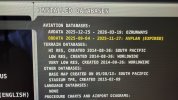
I have a very similar problem and continue getting the Database not current message at startup. I can live with it but I'd rather not! I have a 10' and 7' screen (classic, not HDX) and the responsible file is highlighted in yellow on the >Set up >load files screen. This happens if I got to the load files menu on either screen (same file name) and when I try to remove it using the Dynon 'remove file' option I'm asked to confirm with a yes but the file is not removed; I've followed that process on both screen and the fellow wont go away. The file is referenced on the start up message and highlighted in yellow on the load files screen! I've deleted the .DUP files from the USB sticks and reload both from my Pocket FMS account Nav and Obj files onto both sticks - still can't delete from the Dynon kit. It must be held in the Dynon kit itself somewhere. Photos attached I hope. Any ideas?
Attachments
Rhino
Well-Known Member
- Joined
- Jul 20, 2009
- Messages
- 1,844
Wow! Where can I get a 10 foot screen?...I have a 10' and 7' screen...


swatson999
Well-Known Member
- Joined
- Oct 6, 2010
- Messages
- 1,706
swatson999
Well-Known Member
- Joined
- Oct 6, 2010
- Messages
- 1,706
I take it you haven't seen Spinal Tap?