Expired Database - Flight Guide Diagrams

turbopilot

Member
Joined
Mar 2, 2014
Messages
59
Location
La Quinta, CA
May have another V13 bug.

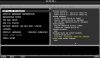
Since installing V13 I have been getting an "Expired Database" annunciation for the Flight Guide Diagrams. The diagrams had never been expired. Just downloaded the new version from SA with same result. See screens below:

IMG_7073-L.jpg


IMG_7074-L.jpg
 

Dynon

Dynon Staff
Staff member
Joined
Jan 14, 2013
Messages
14,232
Location
Woodinville, WA
There's a small bug that we found that can flag data expired when it clearly isn't according to the time stamp. In your case, though, did you take the screenshot on the 19th by chance? (I note the time is 22:14UTC, which might have made it "yesterday", which might have triggered the expiration message for it not yet being "active" data (that itself would be a small bug).
 

turbopilot

Member
Joined
Mar 2, 2014
Messages
59
Location
La Quinta, CA
There's a small bug that we found that can flag data expired when it clearly isn't according to the time stamp. In your case, though, did you take the screenshot on the 19th by chance? (I note the time is 22:14UTC, which might have made it "yesterday", which might have triggered the expiration message for it not yet being "active" data (that itself would be a small bug).

Photo was taken today (Aug 20th) at 3:17PDT.
 

NASA515

I love flying!
Joined
Oct 23, 2012
Messages
169
What's the story behind the Flight Guide airport diagrams?

I used them for years - mine are now badly dog-eared and falling apart - and dated.  AirGuide Publications fell on hard times competing with electronic media.  When I tried to get updated manuals, I ran into a dead end.  Research shows they seem to have gone out of business in 2014.

As best I can tell, the airport diagrams on the SA database are identical to my old  paper manual.  Are they still in operation and providing data to SA???

Bob Bogash
RV-12
N737G
Passed 500 flights this week.
 

carlp101

Smoke me a kipper. I'll be back for breakfast!
Joined
Dec 7, 2015
Messages
50
Location
UK
Dynon,

Do we have a fix for the expired database issue yet? I've been getting this warning since I purchased and installed my D1000 last month. I'm using an up-to-date PocketFMS database. It's never successfully read the database, so I don't know what is missing from my display as a result of this problem. Can you confirm?

Thanks
Carl
 

Dynon

Dynon Staff
Staff member
Joined
Jan 14, 2013
Messages
14,232
Location
Woodinville, WA
So we thought we had it fixed with them. When is your database from? What do you see in the INSTALLED DATABASES page? What do you mean by "it's never successfully read the database"?
 

carlp101

Smoke me a kipper. I'll be back for breakfast!
Joined
Dec 7, 2015
Messages
50
Location
UK
Apologies. I didn't realise you had to manually import the updated databases. I thought they updated automatically if they were on the stick.

So, the only issue that remains is that the system reports that the charts expired when they haven't. See the attached images:
 

Attachments

  • screenshot-G_URMS-SN22098-13_0_3_3233-20160118-190358-572-en_US.png
    screenshot-G_URMS-SN22098-13_0_3_3233-20160118-190358-572-en_US.png
    149.6 KB · Views: 226
Top