
You are using an out of date browser. It may not display this or other websites correctly.
You should upgrade or use an alternative browser.
You should upgrade or use an alternative browser.
Flam to SV settings
- Thread starter mackayi
- Start date
- Joined
- Mar 23, 2005
- Messages
- 13,226
We do provide some guidance in the SkyView System Installation Guide. Do those settings not work?
Can anyone out there give me a steer on the settings I need to get a Flarm power core talking my SV?
The flarm power core has a green light on it. My understanding is that it is happy.
When I look at the details for the serial port, TX & Rx are busy talking, and counting, But it is only counting bad sentences and no good ones.
On the map screen I get " No TIS info available "
I am guessing that I have not ticked a box or something. Do you have any suggestions?
It is could one of the settings also on the core.
When I look at the details for the serial port, TX & Rx are busy talking, and counting, But it is only counting bad sentences and no good ones.
On the map screen I get " No TIS info available "
I am guessing that I have not ticked a box or something. Do you have any suggestions?
It is could one of the settings also on the core.
- Joined
- Mar 23, 2005
- Messages
- 13,226
One often overlooked setting for a device connected via serial port is the "Baud Rate" - the two devices must be set to the same "baud rate" (data communications speed).
The flarm power core has a green light on it. My understanding is that it is happy.
When I look at the details for the serial port, TX & Rx are busy talking, and counting, But it is only counting bad sentences and no good ones.
On the map screen I get " No TIS info available "
I am guessing that I have not ticked a box or something. Do you have any suggestions?
It is could one of the settings also on the core.
- Joined
- Mar 23, 2005
- Messages
- 13,226
Did you confirm that the settings are as suggested in the SkyView System Installation Guide?
Can you provide any screenshots - insert a USB flash drive and push buttons 2+7 to record screenshots to the USB flash drive.
Can you provide any screenshots - insert a USB flash drive and push buttons 2+7 to record screenshots to the USB flash drive.
I have checked the baud rate and they are both set to 9600. Any other suggestions?
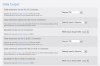
Thanks Michael & Support, I will try these setting although having just played around with various settings I now have "Flarm OK" showing on the Map screen, and the TX/RX on the serial port data screen are counting up and good sentences are counting as well. Am I correct in assuming that the Dynon is talking to the Flarm correctly.
I have been flying once, but no targets were displayed. There were other aircraft around within the detection limits. I am not sure they would have had Flarm, but they would have had transponders.
Does anything display on the PFD screen about traffic information if no traffic is detected?
I have been flying once, but no targets were displayed. There were other aircraft around within the detection limits. I am not sure they would have had Flarm, but they would have had transponders.
Does anything display on the PFD screen about traffic information if no traffic is detected?

If there's no traffic currently around, you won't see anything on the PFD or map. If there's traffic that is around but not close enough to trigger a traffic alert, it will show on the map (and on the PFD if it is in front of you in your synthetic vision "field of view"). If it's actually close enough to warrant a traffic alert, you'll see the TRAFFIC banner on the PFD near the airspeed tape (see the SkyView Pilot's User Guide for more detail and pictures).