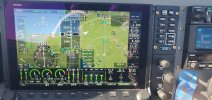
Skyview 17.4 bug?

PaulSS

I love flying!
Joined
Feb 21, 2019
Messages
116
I see Kurt has sent them an email. Have you Phil? I am sure they wouldn't react to one email, as that is more likely to be an individual problem. Multiple emails they would examine the issue.

I don't know how things run at Dynon but where I am nothing gets done between 23 Dec and 5 Jan.

On the plus side, Easter eggs are now all over the supermarkets in the UK 😲
 

kurtfly

I love flying!
Joined
Jun 21, 2014
Messages
312
Dynon is aware of the bug. I did get a response back from Don at Dynon.
i suspect the holidays have delayed any real responses or work on this. Not sure exactly what he meant by being random, but i see this issue on every flight.

IMG_1453.png
 

rogersmart

Member
Joined
Aug 4, 2008
Messages
109
Rather than bashing here, Just call them and ask if they are aware. If so from my experience, they are working hard to resolve. That is their track record as well as not continually responding to forum post.
 

PhilzSkyHdx

New Member
Joined
Oct 11, 2025
Messages
23
I see Kurt has sent them an email. Have you Phil? I am sure they wouldn't react to one email, as that is more likely to be an individual problem. Multiple emails they would examine the issue.

I don't know how things run at Dynon but where I am nothing gets done between 23 Dec and 5 Jan.

On the plus side, Easter eggs are now all over the supermarkets in the UK 😲
I just assumed Dynon was aware of the problem earlier, maybe I was wrong. I'm sure they'll address the problem. But, it's pretty hard to believe that the Dynon software developers don't notice a post with "Skyview System Software Bug" in the title, so I think they've known about this for a while.
 
Last edited:

Biggiesauls

New Member
Joined
Jan 9, 2024
Messages
14
Location
NE Texas
You're full of crap rhino. I like Dynon and I like the Skyview system that I purchased, but I also like corporate responsibility. You apparently don't give a damn about that.
I’m getting to where I scroll by his comments 99% of the time. I do love my Dynon gear. Got my Instrument Rating last August behind Dynon glass. I now see flaws in some panel choices I made during the build process of my RV9. As an IT guy for 35+ years I certainly do not need lectured about software/firmware flaws. Seen ‘em, debugged them, and patched then MANY times.

TD/DR: Back off fanboy Bob!
 

Biggiesauls

New Member
Joined
Jan 9, 2024
Messages
14
Location
NE Texas
Rather than bashing here, Just call them and ask if they are aware. If so from my experience, they are working hard to resolve. That is their track record as well as not continually responding to forum post.
No bashing seen in the current thread, however you do realize this is a Dynon sponsored/supported forum and at one time Dynon representatives were active on this page. Therefore it could be assumed (yeah, I know) that they still “lurk” here even now.
 

PhilzSkyHdx

New Member
Joined
Oct 11, 2025
Messages
23
I’m getting to where I scroll by his comments 99% of the time. I do love my Dynon gear. Got my Instrument Rating last August behind Dynon glass. I now see flaws in some panel choices I made during the build process of my RV9. As an IT guy for 35+ years I certainly do not need lectured about software/firmware flaws. Seen ‘em, debugged them, and patched then MANY times.

TD/DR: Back off fanboy Bob!
I have to admit I was a little hasty in my critique of Dynon on this issue. I haven't flown small private aircraft in over 35 years so I'm "new" to this type of flying (lol). I come from a professional background (30 yrs) using pro-level avionics which very seldom had an issue. If they did, the co. (the largest fractional private jet operator) would issue alerts almost immediately about the suspected problem to all crews, and the avionics co. (e.g. Honeywell, Collins, Garmin) would respond usually within 24 hrs. I got a bit spoiled by this level of safety, service and expediency I suppose. I can't expect that level of response with a much smaller co. and also operating under experimental regs. I think most of us agree that Dynon does a pretty good job in support of their systems.
 
Last edited:

Rhino

Well-Known Member
Joined
Jul 20, 2009
Messages
1,789
I’m getting to where I scroll by his comments 99% of the time. I do love my Dynon gear. Got my Instrument Rating last August behind Dynon glass. I now see flaws in some panel choices I made during the build process of my RV9. As an IT guy for 35+ years I certainly do not need lectured about software/firmware flaws. Seen ‘em, debugged them, and patched then MANY times.

TD/DR: Back off fanboy Bob!
I've worked avionics for 48 years, and also had an IT career. If you did too, then you know what I said is true. It's very rare for a new software release to be completely problem free, unless it's a tiny release. And developers do not make public statements about everything they're working on. Dynon never did that here either. There's no reason to assume they aren't looking at this. That's not being a fanboy. It's being realistic. I've said several times here that Dynon could do much to improve their customer communications. Maybe you missed that by scrolling past comments instead of reading them.
 

PaulSS

I love flying!
Joined
Feb 21, 2019
Messages
116
Just as an aside, I had the same symptoms of missing next waypoint on the HSI source when I flew yesterday.

At one point I selected the A/P menu, instead of using the A/P controller or touching the HSI source box on the screen. I deselected NAV and then cycled through the two HSI sources I have until I got back to SkyView. I then re-engaged NAV and had the next waypoint appeared on the screen.......so it's still there somewhere. This lasted until I arrived at the first destination.

Later, on a second flight, I tried doing the same thing when the next waypoint was missing but had no luck at all.

In particular, the next waypoint didn't appear if it wasn't a known waypoint i.e. just a position on the map. I've never noticed before if this was normally the case but I THINK it displays it as waypoint 5 or similar. If this is the case, then no waypoint 5 appeared on the flight plan list.

I appreciate some of this is a bit waffly but, in truth, I don't think I've ever noticed the next waypoint on the HSI source and I've probably looked at the flight plan a couple of times ever. I fly the same route a lot and my aircraft could probably find its own way without me even being in it :) :)
 

PhilzSkyHdx

New Member
Joined
Oct 11, 2025
Messages
23
I confirmed yesterday that if i enter a flight plan into skyview and change the HSI source to Skyview the next waypoint identifier is populated. So, this problem only exists when getting flight plan via the Arinc 429 source.

kurt
That helps a lot. I have a Garmin 175 (using Arinc 429) so that's good to know!
 
Last edited:

PaulSS

I love flying!
Joined
Feb 21, 2019
Messages
116
I confirmed yesterday that if i enter a flight plan into skyview and change the HSI source to Skyview the next waypoint identifier is populated. So, this problem only exists when getting flight plan via the Arinc 429 source.

kurt

Not 'only' when the flight plan source is Arinc 429. I don't have any Arinc inputs in my system but the next waypoint s still missing.......apart from random times when it's not.
 

DaveN

New Member
Joined
Dec 30, 2023
Messages
3
I'm experiencing this problem as well.
In the Pilot's User Guide, NEXT WAYPOINT is defined as:

NEXT WAYPOINT: The waypoint after the current active waypoint in the Flight Plan.

In the past on my HDX "NEXT WPT" was showing the current waypoint. Anyone else notice this?

I was flying the LPV29 approach into o69:
 

Attachments

  • 20260126_140052.jpg
    20260126_140052.jpg
    4.9 MB · Views: 25
Last edited:

kurtfly

I love flying!
Joined
Jun 21, 2014
Messages
312
Yes- Dynon has been notified. It appears to be a problem when using an external navigator (ARINC 429).
You should notify Dynon so they realize how many people are impacted by this.
That field is also on your HSI display. See circled areas.
1769611180502.png
 

Blimpguy

SkyView Product Manager / Support Specialist
Staff member
Dynon Authorized Installer
Joined
Apr 1, 2025
Messages
25
Hello all,

As noted above in the screenshot that was shared, we are aware of this popping up from time to time for some customers. Our software team has a good idea of what the issue is and a path to fix it, so we are working on it. The goal is to have a fix rolled into the next update, but that's TBD until it's done-done. Either way, we will get it fixed.
 

Blimpguy

SkyView Product Manager / Support Specialist
Staff member
Dynon Authorized Installer
Joined
Apr 1, 2025
Messages
25
Not 'only' when the flight plan source is Arinc 429. I don't have any Arinc inputs in my system but the next waypoint s still missing.......apart from random times when it's not.
Hi Paul,

Are you only using the Dynon GPS for navigation or do you have a third-party GPS unit feeding data to the system via RS-232 but not ARINC?
 

PaulSS

I love flying!
Joined
Feb 21, 2019
Messages
116
I primarily use Dynon GPS. I do have the ability to use SkyDemon (think Foreflite) to feed my Nav via Bluetooth from iPad to
RS232 but this is rarely used. Normally I will transfer a route , via WIFI, into the HDX and then follow that route using SkyView GPS as the source.
 

Blimpguy

SkyView Product Manager / Support Specialist
Staff member
Dynon Authorized Installer
Joined
Apr 1, 2025
Messages
25
I primarily use Dynon GPS. I do have the ability to use SkyDemon (think Foreflite) to feed my Nav via Bluetooth from iPad to
RS232 but this is rarely used. Normally I will transfer a route , via WIFI, into the HDX and then follow that route using SkyView GPS as the source.
Thank you for the further information, that makes sense to me. I will pass this along to our software team to look into as well. I am more suspicious of it happening during the WiFi transfer but we'll investigate.
 
Top